
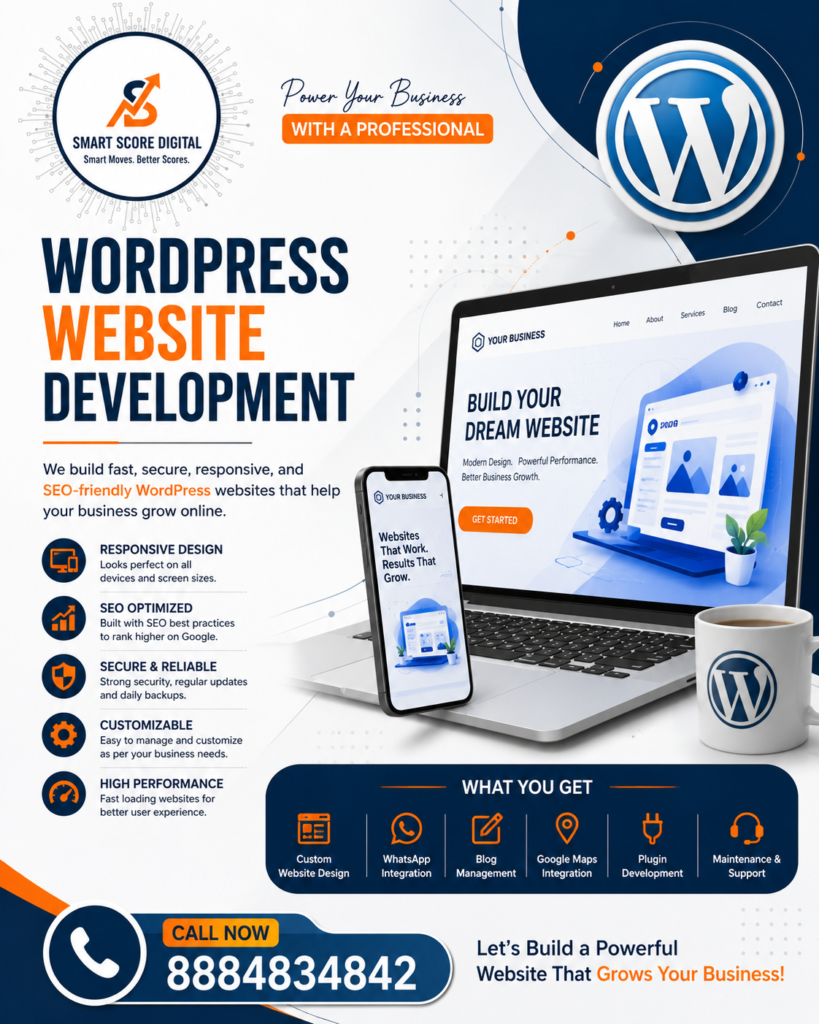
Introduction
Imagine a potential customer searching for your business online. They click on your website, but it takes too long to load, looks outdated, or doesn’t display properly on their phone. In most cases, they’ll leave within seconds and visit a competitor instead.
That’s why having a professional website is no longer just an advantage—it’s a necessity.
A website is your digital storefront. It introduces your business, builds credibility, showcases your services, and helps convert visitors into customers. Whether you’re a startup, a small business, a freelancer, an educational institution, or an eCommerce brand, a well-designed website can play a key role in your business growth.
When it comes to building reliable, secure, and easy-to-manage websites, WordPress website development has become the preferred choice for businesses worldwide. Powering more than 40% of websites on the internet, WordPress is trusted for its flexibility, affordability, and ability to support everything from simple business websites to large online stores.
In this comprehensive guide, you’ll learn what WordPress is, why it’s the leading website development platform, its key features, the website development process, and how it can help your business grow online.
What is WordPress?
WordPress is an open-source Content Management System (CMS) that allows you to create, manage, and update a website without requiring advanced coding knowledge.
Originally launched as a blogging platform, WordPress has evolved into one of the world’s most powerful website development solutions. Today, millions of businesses use it to build professional, scalable, and user-friendly websites.
With WordPress, you can create:
- Business websites
- Corporate websites
- Portfolio websites
- eCommerce stores
- Educational websites
- Healthcare websites
- Real estate websites
- Restaurant websites
- Hotel websites
- News portals
- Membership websites
- Landing pages
- Personal blogs
One of the biggest advantages of WordPress is its flexibility. Developers can customize the website to match your business requirements, while business owners can easily update content, publish blogs, upload images, and manage pages without depending on a developer for every change.
Why Choose WordPress for Website Development?
Choosing the right platform is one of the most important decisions when building a website. WordPress has earned its reputation as the world’s leading CMS because it combines ease of use, powerful functionality, and long-term scalability.
Here are some of the reasons businesses choose WordPress.
1. Beginner-Friendly and Easy to Manage
You don’t need to be a programmer to manage a WordPress website.
Its intuitive dashboard allows you to make updates quickly without technical expertise. Whether you want to publish a blog, update service information, upload images, or create a new page, everything can be managed through a simple interface.
With WordPress, you can easily:
- Add new pages
- Publish blog posts
- Upload images and videos
- Edit existing content
- Manage navigation menus
- Create new website sections
This gives business owners greater control over their websites while reducing ongoing maintenance costs.
2. Fully Customizable to Match Your Brand
Every business is unique, and your website should reflect that.
WordPress offers thousands of professionally designed themes and plugins that make it easy to create a website tailored to your brand and business goals.
Whether you need a simple company website or a feature-rich online platform, WordPress can be customized with features such as:
- Appointment booking
- Online payment gateways
- Contact forms
- Live chat
- Customer portals
- Membership systems
- Learning Management Systems (LMS)
- Event booking
- WooCommerce integration
- Custom business functionality
As your business grows, your website can grow with it by adding new features without rebuilding everything from scratch.
3. SEO-Friendly Website Development
A professional website is valuable only if potential customers can find it.
One of the biggest strengths of WordPress website development is its SEO-friendly architecture. Clean code, customizable URLs, and compatibility with leading SEO plugins make it easier to optimize your website for search engines.
WordPress supports important SEO features, including:
- Search-engine-friendly URLs
- Custom meta titles and descriptions
- Image optimization
- XML sitemaps
- Schema markup
- Internal linking
- Mobile responsiveness
- Fast-loading pages
These features help improve your website’s visibility on search engines, increase organic traffic, and attract potential customers who are actively searching for your services.
4. Mobile-Friendly by Default
Today, most people browse the internet using smartphones.
If your website doesn’t work well on mobile devices, visitors are more likely to leave before exploring your business.
WordPress websites are designed to be fully responsive, meaning they automatically adapt to different screen sizes and devices. Whether someone visits your website on a smartphone, tablet, laptop, or desktop computer, they enjoy a smooth and consistent browsing experience.
A mobile-friendly website not only improves user satisfaction but also contributes to better search engine rankings.
5. Cost-Effective Website Development
Building a professional website doesn’t have to be expensive.
WordPress provides a powerful yet affordable solution for businesses of all sizes. Since the platform itself is free and offers thousands of themes and plugins, businesses can reduce development costs while still creating a feature-rich website.
Some of the reasons WordPress is considered cost-effective include:
- Free open-source platform
- Affordable premium themes
- Thousands of free and premium plugins
- Lower maintenance costs
- Faster development time
- Easy future upgrades
This makes WordPress an excellent choice for startups, small businesses, and growing companies looking for maximum value.
6. Strong Security Features
Website security is essential for protecting your business, customer information, and online reputation.
WordPress supports a wide range of security features that help keep your website protected when properly maintained.
A secure WordPress website typically includes:
- SSL certificate
- Security plugins
- Firewall protection
- Malware scanning
- Spam protection
- User role management
- Regular updates
- Secure hosting
Combined with regular maintenance and backups, these features help create a secure online environment for your business.
7. Faster Development and Easy Scalability
Compared to custom-coded websites, WordPress significantly reduces development time.
Developers can build professional websites more efficiently while maintaining high standards of quality, performance, and scalability.
Whether you’re launching a small business website today or planning to expand into an online store in the future, WordPress provides the flexibility to grow with your business.
A professionally developed WordPress website can be expanded with additional pages, new services, advanced functionality, and integrations whenever your business needs evolve.
Key Features of a Professional WordPress Website
A professional website should do much more than look attractive. It should create a great first impression, load quickly, perform well on every device, and encourage visitors to take action.
Whether your goal is to generate leads, sell products, or build brand awareness, these are the essential features every professional WordPress website should include.
1. Modern and User-Friendly Design
Your website is often the first interaction potential customers have with your business. Within a few seconds, visitors decide whether they trust your brand.
A clean, modern design helps create a positive first impression while making it easy for visitors to navigate your website.
A professionally designed WordPress website focuses on:
- Clean layouts
- Attractive colour combinations
- Easy-to-read typography
- High-quality visuals
- Clear navigation
- Consistent branding
An intuitive design keeps visitors engaged and encourages them to explore your services.
2. Fully Responsive Across All Devices
People access websites from smartphones, tablets, laptops, and desktop computers every day.
A professional WordPress website automatically adjusts to different screen sizes, ensuring visitors enjoy the same experience regardless of the device they’re using.
A responsive website offers several benefits:
- Better user experience
- Improved Google rankings
- Lower bounce rate
- Higher engagement
- Better lead generation
Mobile responsiveness has become one of the most important ranking factors for search engines.
3. Fast Loading Speed
Website speed directly impacts user experience and search engine rankings.
Research shows that visitors expect a website to load within a few seconds. If it doesn’t, many will leave before viewing your content.
A professionally optimized WordPress website includes:
- Image optimization
- Browser caching
- Lightweight themes
- Performance optimization
- Optimized code
- Fast hosting
A faster website improves customer satisfaction while increasing the chances of converting visitors into leads.
4. Contact Forms and Lead Generation
Every business website should make it easy for visitors to contact you.
Professional WordPress websites include simple and user-friendly contact forms that allow potential customers to enquire about your services quickly.
Lead generation features often include:
- Contact forms
- Quote request forms
- Consultation booking
- Newsletter subscription
- Callback request forms
The easier it is to contact your business, the more enquiries you’re likely to receive.
5. WhatsApp Integration
Many customers prefer instant communication instead of filling out long enquiry forms.
Integrating WhatsApp into your website allows visitors to start a conversation with just one click.
Benefits include:
- Instant customer support
- Faster response times
- Improved customer engagement
- Higher conversion rates
For service-based businesses, WhatsApp has become one of the most effective communication channels.
6. Social Media Integration
Your website and social media platforms should work together.
Connecting your Facebook, Instagram, LinkedIn, and YouTube profiles allows visitors to engage with your brand beyond your website.
Social media integration helps:
- Increase brand visibility
- Build trust
- Drive engagement
- Expand your online audience
7. Blog Section
A blog is one of the most powerful tools for improving SEO and attracting organic traffic.
By regularly publishing helpful content, you can answer customer questions, demonstrate your expertise, and improve your search engine rankings.
Benefits of maintaining a blog include:
- Higher Google rankings
- Increased organic traffic
- Better customer education
- More keyword opportunities
- Stronger brand authority
Consistently publishing high-quality blog content helps your website remain relevant and competitive.
8. Portfolio, Gallery, and Testimonials
People trust businesses that can demonstrate their work.
Adding a portfolio or gallery allows visitors to see your previous projects, while testimonials provide social proof that builds confidence.
These sections help:
- Showcase your expertise
- Increase credibility
- Build customer trust
- Improve conversion rates
Real customer feedback often influences purchasing decisions more than promotional content.
9. Google Maps Integration
If your business has a physical location, displaying it on Google Maps makes it easier for customers to find you.
Benefits include:
- Better local visibility
- Improved customer convenience
- Increased trust
- Better local SEO
This feature is especially valuable for businesses serving local customers.
10. SEO-Optimized Website Structure
A professional WordPress website should be built with SEO from the beginning.
Proper optimization helps search engines understand your content, making it easier for your website to rank for relevant keywords.
An SEO-ready website includes:
- Clean URL structure
- Optimized headings
- Internal linking
- Meta titles and descriptions
- Schema markup
- Image optimization
- XML sitemap
- Mobile-friendly design
Good SEO lays the foundation for long-term organic growth.
11. Security and Regular Backups
Protecting your website is just as important as building it.
A secure WordPress website includes:
- SSL Certificate
- Security plugins
- Daily or weekly backups
- Firewall protection
- Malware scanning
- Login security
- User access management
Regular backups ensure your website can be restored quickly if unexpected issues occur.
12. Website Analytics
Understanding visitor behaviour helps you make informed business decisions.
Analytics tools allow you to monitor:
- Website traffic
- Visitor demographics
- Popular pages
- Traffic sources
- User behaviour
- Goal conversions
These insights help improve both marketing campaigns and website performance.
13. Easy Content Management
One of WordPress’s biggest advantages is its ease of use.
Business owners can update content without needing technical knowledge.
You can easily:
- Publish blogs
- Update services
- Upload images
- Create new pages
- Edit text
- Manage menus
This gives you complete control over your website while reducing ongoing maintenance costs.
WordPress Website Development Process
Building a successful website involves much more than choosing a design template. A professional WordPress website follows a structured process that ensures it meets your business objectives while delivering an excellent user experience.
Let’s walk through each stage of the development process.
Step 1: Understanding Your Business Requirements
Every successful website begins with careful planning.
Before creating the design or writing code, developers take time to understand your business, industry, customers, and objectives.
During this stage, we identify:
- Business goals
- Target audience
- Required website features
- Competitor analysis
- Brand identity
- Marketing objectives
This discovery phase ensures your website is built around your business goals rather than simply looking attractive.
Step 2: Planning the Website Structure
A clear website structure makes it easier for visitors to find information.
During planning, a sitemap is created outlining all major pages.
Typical business website pages include:
- Home
- About Us
- Services
- Portfolio
- Blog
- Contact Us
- Landing Pages
- Privacy Policy
Proper planning improves navigation, SEO, and user experience.
Step 3: UI/UX Design
Once the structure is finalized, designers begin creating the website layout.
The design process focuses on:
- Brand colours
- Typography
- Icons
- Graphics
- High-quality images
- Page layouts
- User journey
- Call-to-action buttons
The goal is to create a website that’s visually appealing, easy to navigate, and designed to convert visitors into customers.
Step 4: WordPress Website Development
After the design is approved, developers build the website using WordPress.
This stage includes:
- Installing WordPress
- Configuring themes
- Installing plugins
- Creating pages
- Adding custom features
- Optimizing performance
- Integrating third-party tools
Every feature is carefully tested to ensure the website functions smoothly.
Step 5: Content Integration
Content gives your website its purpose.
Once development is complete, business content is added, including:
- Company profile
- Service descriptions
- Images
- Videos
- Blog articles
- FAQs
- Contact details
Well-written content helps educate visitors while improving SEO performance.
Step 6: Search Engine Optimization (SEO)
Before launching the website, developers optimize it for search engines.
SEO tasks include:
- Optimizing page titles
- Writing meta descriptions
- Image optimization
- Improving page speed
- Creating XML sitemaps
- Adding schema markup
- Internal linking
- Mobile optimization
These optimizations improve search visibility and prepare the website for long-term organic growth.
Step 7: Testing and Quality Assurance
Before going live, every feature is thoroughly tested.
Quality assurance includes checking:
- Mobile responsiveness
- Website speed
- Navigation
- Contact forms
- Browser compatibility
- Security
- Performance
Any issues identified during testing are resolved before launch.
Step 8: Website Launch
Once the website has been approved, it is deployed to the live server.
After launch, developers:
- Connect the domain
- Configure SSL
- Submit the sitemap to Google
- Verify Google Search Console
- Install Google Analytics
- Monitor website performance
Launching the website is only the beginning. Regular updates, maintenance, SEO, and content publishing help keep your website secure, relevant, and competitive.
Benefits of Choosing WordPress for Your Business
A professional website is one of the smartest investments a business can make. It helps you build credibility, attract new customers, and stay competitive in today’s digital world.
With WordPress Website Development, you’re not just creating a website—you’re building a platform that supports your business growth for years to come. Whether you’re a startup or an established company, WordPress provides the flexibility, performance, and scalability needed to succeed online.
Here are some of the biggest benefits of choosing WordPress for your business.
1. Build a Strong Online Presence
Today, most customers search online before making a purchase or contacting a business. If your business doesn’t have a professional website, you’re likely missing valuable opportunities.
A well-designed WordPress website helps you:
- Create a strong first impression
- Build brand awareness
- Showcase your products and services
- Reach customers 24/7
- Stay ahead of competitors
Your website acts as your digital storefront, working around the clock to represent your business.
2. Improve Search Engine Visibility
A beautiful website isn’t enough if no one can find it.
WordPress is built with SEO best practices in mind, making it easier for search engines like Google to crawl and index your website.
When combined with quality content and proper optimization, your website can achieve:
- Higher Google rankings
- Increased organic traffic
- Better keyword visibility
- More qualified visitors
- Long-term business growth
Higher visibility means more opportunities to connect with potential customers actively searching for your services.
3. Generate More Leads
One of the biggest advantages of having a professional website is its ability to generate leads.
Your website can encourage visitors to take action by offering:
- Contact forms
- WhatsApp chat
- Free consultations
- Quote request forms
- Newsletter subscriptions
- Call-to-action buttons
Unlike traditional marketing, your website continues generating enquiries even outside business hours.
4. Build Trust and Credibility
Customers are more likely to trust businesses with a professional online presence.
A clean, modern, and responsive WordPress website demonstrates that your business is established, reliable, and customer-focused.
Adding elements like testimonials, client reviews, portfolios, certifications, and case studies further strengthens your credibility.
Trust often plays a significant role in converting visitors into paying customers.
5. Easy Content Management
Businesses evolve over time, and your website should evolve with them.
WordPress allows you to update content quickly without needing technical expertise.
You can easily:
- Publish blog posts
- Update services
- Add images and videos
- Create new pages
- Edit pricing
- Announce offers
This flexibility saves both time and ongoing maintenance costs.
6. Cost-Effective Solution
Compared to custom-built websites, WordPress offers an excellent balance between affordability and functionality.
Businesses benefit from:
- Lower development costs
- Reduced maintenance expenses
- Thousands of plugins
- Affordable premium themes
- Easy future upgrades
It provides enterprise-level capabilities without requiring an enterprise-level budget.
7. Scalable for Future Growth
Your business won’t stay the same forever—and neither should your website.
As your business grows, WordPress allows you to add new features such as:
- Online booking
- eCommerce functionality
- Membership systems
- Online courses
- Customer portals
- Live chat
- Payment gateways
This means your website can grow alongside your business without requiring a complete redesign.
Who Should Use WordPress?
One of WordPress’s greatest strengths is its versatility.
It can be customized to suit almost every industry and business model.
WordPress is ideal for:
Startups
Launch your business with a professional website that establishes credibility and attracts your first customers.
Small Businesses
Showcase your services, generate enquiries, and compete effectively in your local market.
Large Enterprises
Manage complex websites with multiple pages, advanced functionality, and scalable architecture.
Educational Institutions
Create websites for schools, colleges, coaching centres, and training institutes with course information, admissions, and enquiry forms.
Hospitals and Healthcare Providers
Share healthcare services, doctor profiles, appointment booking, and patient information securely.
Restaurants and Cafés
Display menus, accept reservations, showcase food galleries, and receive online enquiries.
Hotels and Hospitality Businesses
Highlight rooms, amenities, pricing, and booking options through an attractive website.
Freelancers and Consultants
Build a professional portfolio that showcases your expertise, services, and client testimonials.
Digital Marketing Agencies
Promote your services, generate leads, publish case studies, and demonstrate your expertise through informative blogs.
Non-Profit Organizations
Share your mission, collect donations, recruit volunteers, and engage supporters.
eCommerce Businesses
Using WooCommerce, WordPress allows businesses to create secure and scalable online stores with payment gateways, inventory management, and order tracking.
No matter your industry, WordPress provides the flexibility to build a website that aligns with your business goals.
Tips to Keep Your WordPress Website Running Smoothly
Launching your website is only the first step. To ensure it continues performing at its best, regular maintenance is essential.
Here are some best practices every website owner should follow.
Keep WordPress Updated
Regular updates improve security, fix bugs, and introduce new features.
Update Themes and Plugins
Outdated plugins can create security risks and compatibility issues. Always keep them updated.
Use Strong Passwords
Protect your website by using complex passwords and enabling two-factor authentication whenever possible.
Perform Regular Backups
Back up your website frequently so you can quickly restore it if something goes wrong.
Monitor Website Speed
Use performance optimization tools to ensure your website loads quickly across all devices.
Remove Unused Plugins
Unused plugins can slow down your website and increase security risks.
Publish Fresh Content
Regular blog posts help improve SEO, attract visitors, and demonstrate your expertise.
Track SEO Performance
Monitor keyword rankings, website traffic, and user behaviour to identify opportunities for improvement.
Fix Broken Links
Broken links create a poor user experience and negatively impact SEO. Review your website regularly and replace or remove broken links.
Review Website Security
Regularly monitor your website for malware, suspicious login attempts, and security vulnerabilities.
Consistent maintenance helps ensure your website remains secure, reliable, and optimized for long-term success.
Common Mistakes to Avoid When Building a WordPress Website
Many businesses invest in a website but overlook essential practices that affect performance, user experience, and search rankings. Avoiding these common mistakes can save time, money, and frustration.
1. Choosing Cheap or Unreliable Hosting
Low-quality hosting can lead to slow loading times, frequent downtime, and security issues. Invest in reliable hosting to ensure your website performs well.
2. Installing Too Many Plugins
Plugins add functionality, but using too many can slow down your website and create compatibility problems. Only install plugins that are necessary and keep them updated.
3. Ignoring SEO
A website without SEO is difficult for potential customers to find. Optimize your pages, images, headings, and content from the beginning.
4. Using Poor-Quality Images
Large, unoptimized images can significantly reduce your website’s loading speed. Compress images without compromising quality.
5. Forgetting Mobile Optimization
Most visitors browse websites on mobile devices. Always ensure your website is responsive and easy to navigate on smaller screens.
6. Neglecting Website Security
Failing to update WordPress, plugins, and themes can expose your website to security threats. Regular maintenance is essential.
7. Not Backing Up Your Website
Unexpected issues can happen at any time. Regular backups help you recover your website quickly if needed.
8. Weak Call-to-Actions
Visitors need clear guidance on what to do next. Every important page should include strong CTAs such as “Contact Us,” “Request a Quote,” or “Book a Free Consultation.”
By avoiding these common mistakes and following best practices, you’ll create a faster, more secure, and more effective WordPress website that supports your business goals.
Frequently Asked Questions (FAQs)
A FAQ section not only answers common customer questions but also improves your chances of appearing in Google’s search results. Here are some of the most frequently asked questions about WordPress Website Development.
1. What is WordPress Website Development?
WordPress Website Development is the process of designing, building, customizing, and maintaining websites using the WordPress Content Management System (CMS). It allows businesses to create professional, responsive, and SEO-friendly websites without the need for complex coding for everyday updates.
2. Why should I choose WordPress for my business website?
WordPress is one of the world’s most trusted website platforms because it is easy to manage, highly customizable, cost-effective, and scalable. Whether you’re building a small business website or a large eCommerce store, WordPress offers the flexibility to meet your business needs.
3. Is WordPress good for SEO?
Yes. WordPress is designed with SEO best practices in mind. It supports clean URLs, mobile responsiveness, fast loading speeds, XML sitemaps, schema markup, and integrates with popular SEO plugins, making it easier to improve your website’s visibility on search engines.
4. How long does it take to develop a WordPress website?
The timeline depends on the size and complexity of the project.
- Basic Business Website: 1–2 weeks
- Professional Corporate Website: 2–4 weeks
- eCommerce Website: 4–8 weeks
- Custom Functionality Website: Depends on project requirements
Proper planning and content preparation can significantly reduce development time.
5. Can I update my WordPress website without coding?
Absolutely.
One of the biggest advantages of WordPress is its user-friendly dashboard. You can easily:
- Edit pages
- Publish blog posts
- Upload images
- Add new services
- Update contact details
- Manage menus
—all without writing a single line of code.
6. Is WordPress secure?
Yes, WordPress is highly secure when properly maintained. Regular updates, strong passwords, SSL certificates, reliable hosting, security plugins, and routine backups help protect your website from common security threats.
7. Can WordPress support an online store?
Yes. With WooCommerce, WordPress can be transformed into a fully functional eCommerce website. You can manage products, accept online payments, track orders, and provide customers with a seamless shopping experience.
8. Why should I hire Smart Score Digital for WordPress Website Development?
At Smart Score Digital, we don’t just build websites—we create digital experiences that help businesses grow. Our websites are designed to be visually appealing, fast, secure, mobile-friendly, and SEO-optimized, ensuring they attract visitors and convert them into customers.
Conclusion
Your website is more than just an online presence—it’s one of your business’s most valuable marketing assets. A professionally developed website helps build trust, attract potential customers, showcase your services, and generate quality leads around the clock.
That’s why WordPress Website Development continues to be the preferred choice for businesses worldwide. Its flexibility, ease of use, scalability, and SEO-friendly architecture make it suitable for startups, small businesses, large enterprises, educational institutions, healthcare providers, restaurants, online stores, and many other industries.
Whether you’re creating your first business website or upgrading an existing one, WordPress provides everything you need to establish a strong digital presence and support long-term business growth.
When combined with quality content, responsive design, regular maintenance, and a well-planned SEO strategy, your website becomes a powerful tool that works for your business every day—helping you attract visitors, build credibility, and convert prospects into loyal customers.
Investing in a professional WordPress website today is an investment in the future success of your business.
🚀 Ready to Build a Professional WordPress Website?
Your customers are already searching online for businesses like yours. Make sure they find a website that reflects the quality and professionalism of your brand.
At Smart Score Digital, we specialize in designing and developing modern, responsive, and SEO-friendly WordPress websites that help businesses grow online. Whether you need a brand-new website or want to redesign your existing one, our team is here to turn your ideas into reality.
Why Choose Smart Score Digital?
✅ Custom WordPress Website Development
✅ Mobile-Responsive & User-Friendly Design
✅ SEO-Optimized Website Structure
✅ Fast Loading Speed
✅ Secure Website Development
✅ WhatsApp & Contact Form Integration
✅ Google Maps & Social Media Integration
✅ WooCommerce & eCommerce Solutions
✅ Ongoing Website Support & Maintenance
📞 Get Started Today!
📱 Call Now: 8884834842
💬 Free Consultation Available
🌐 Smart Score Digital